


Recruitment: How to understand that you are in danger? How to protect your child?
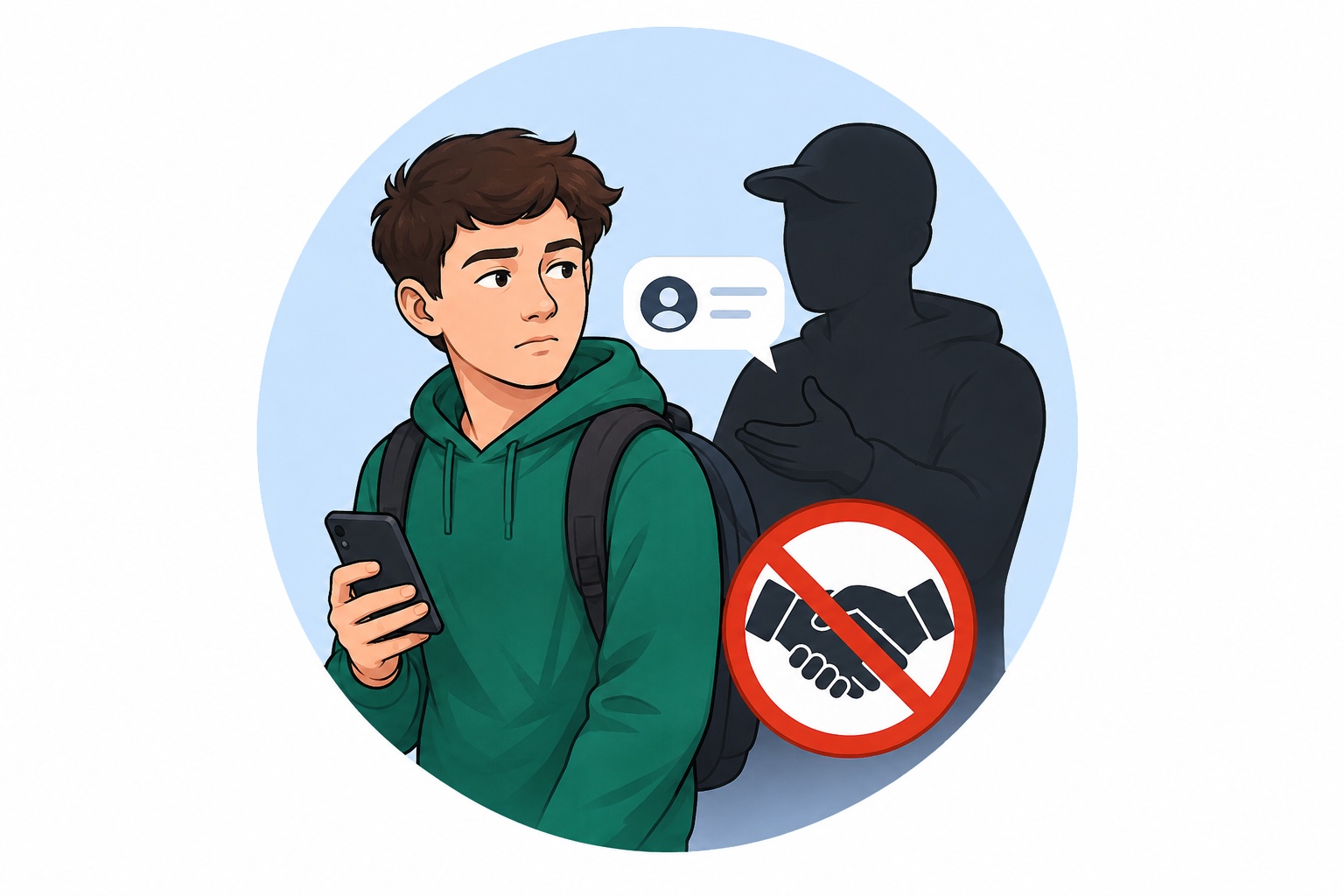
How to Talk to a Child About the Danger of Recruitment: Advice for Parents and Teachers
It is important for adults to know how to discuss difficult topics with children calmly — without intimidation, but with a clear understanding of the risks. The online recruitment of teenagers is a real threat, and the main tools of protection are trust, knowledge, and open dialogue. In this article, psychologist, Gestalt therapist, and savED expert Iryna Pleshakova explains how to have this conversation.
How can you talk to a child about the danger of recruitment without scaring them?
It is best to begin not with fear, but with trust. A child listens to an adult when they feel safe, not when they are being frightened. Remember: fear either paralyzes or drives a child toward defiance. Our goal is proactivity, critical thinking, and inner readiness.
Start with context. For example:
“You know that many of us now – even children – are facing different forms of war not only on the front line, but also online. I want to explain how this happens so that you are aware and know how to protect yourself.”
Your position should be one of partnership. Not “I know and you don’t,” but “I am here with you, and we will figure this out together.”
Say clearly:
“I do not think you would do anything wrong. But I want you to be able to recognize it if someone tries to use you. Because unfortunately, this does happen.”
It is important to explain what recruitment is: when someone, usually through deception or manipulation, gets a person to do something, often against their values or against the law. And explain that it does not look like a spy movie. It may be a bot, someone they know from a game or chat, or a “friend” from social media.
At what age should these conversations begin? How do you choose the right words and examples?
It is worth starting from ages 9–10. This is the age when a child already has digital access, reads or hears the news, even if they do not want to, and begins thinking about justice, power, and truth.
The tone and language should depend on the child’s age.
For younger adolescents (ages 9–12), use simple examples. For instance:
“Imagine that someone in a game tells you that you are really cool and can give you even more points if you take a photo of your school or a railway station. That is a trap. Even if it seems harmless, it may be part of a dangerous plan.”
For teenagers aged 13–17, you can speak more directly:
“There are cases where teenagers are used for real wartime tasks. Through Telegram, through games. Often they are lured with flattery: ‘You are special, we need your help.’ But this is manipulation. And it is a crime for which you are responsible, even if you are still a school student.”
Should they be afraid? No. Fear does not teach; it encourages avoidance. What we need is alertness, not panic. Awareness, not anxiety. We do not want a child to be afraid of the internet. We want them to have an inner filter: what feels suspicious, what is not for them, and when adult help is needed.
The main message in the conversation should not be “you are weak and someone may trick you,” but rather:
“You are smart, and I trust that you can handle this, but I want you to be informed.”
How can you build enough trust so that a child is not afraid to say that someone offered them a way to “earn money”?
Many parents want to hear a magic phrase that will make a child tell them everything. But trust is neither a trick nor a method. It is a process. And it begins not when “something has already happened,” but much earlier.
Let us start with something simple but unpleasant: a child is not afraid only of punishment. They are also afraid of being dismissed, mocked, not heard, or not seen in what they are going through. So trust is not something you either “have” or “do not have.” It is built every day through your reactions to small situations: when you do not cut them off with “Don’t make things up!”, when you do not laugh and say “Seriously, you fell for that?”, when you do not yell, but sit down beside them and listen.
“Help me help you” is an excellent phrase for building trust.
If you want your child to tell you about a “side job” they were offered online, they need to be sure that you will not scold them, that you will not “explode,” that you will not take away their phone, but instead say:
“Thank you for trusting me. Let’s think together about what this really was.”
Your reaction to the first mention of money is crucial. If you immediately lash out or punish them, next time the child will turn to YouTube, a chat, or someone else who will not scold them. Teenagers are not looking for permission. They are looking for support.
How can you remove the fear of punishment if the child has already taken some step toward danger?
This is the moment when it is very easy to lose trust and very important to handle the situation correctly.
Say honestly:
“It is important for me to know what happened. And whatever it is, I am with you. I want to protect you, not punish you. We will get through this if we speak openly.”
Your task is not to “fix” the child, but to maintain the connection. Yes, it may be frightening or painful to hear that the child has already done something: sent a photo, agreed to meet, installed a bot. But the center of attention should not be your emotions. It should be the child’s state.
Do not lecture them. Ask questions, once the immediate danger has passed:
“What were you feeling when you did that?”
“Why did you decide it was worth trying?”
“How do you feel about it now?”
If the child genuinely regrets it or told you on their own, support them. Say:
“I really appreciate your courage in telling me. That was a brave thing to do. Let’s think together about what to do next.”
Because in this conversation, the child forms an idea about themselves: I made a mistake, but people still trust me. I took a risky step, but I was not punished. I can talk about difficult things, and people will not turn away from me.
How do you explain the danger of “easy money” and offers of quick earnings?
The recruitment of teenagers does not begin with ideology. It begins with “easy money.” The need for recognition, independence, and money often becomes the first bait.
The main task is not to criticize, mock, or moralize. A teenager does not want money because they are “greedy,” but because they want to feel grown-up, to have freedom, and not to have to ask their parents for everything. That is a normal need. Start from there. Say:
“I understand that you want your own money and want to feel independent. That is natural. But when someone offers you money easily, quickly, and without effort, that is always a warning sign. Such offers often hide fraud or danger.”
Use real-life examples without moralizing:
“If someone offers money for a photo of a school, that is not ‘work’ — that is exploitation.”
“If someone says, ‘This is a secret mission, don’t tell anyone,’ that is a sign of manipulation.”
Do pocket money and personal funds reduce the risk of recruitment? How much should children get, and in what form?
Yes, having their own money does reduce vulnerability. Not because the child “has everything,” but because they do not have to look for shady ways to cover basic needs such as coffee, a gift, or transport. Pocket money is not a privilege; it is a tool for education.
Recommendations:
From around age 10, you can begin with a small weekly amount in cash.
From ages 12–13, it is worth moving to cashless payments, such as a child’s bank card with parental access and spending limits. The amount should be predictable and discussed in advance. For example:
“You get 150 hryvnias each week. You can spend it or save it. If you run out, the next amount comes on schedule.”
This helps form an understanding that money has limits, accounting, and responsibility. And that greatly reduces the chance that a child will agree to a suspicious offer “because they did not have enough.”
How can you teach financial literacy so that a child learns to assess the risks of fraud independently?
This should not be taught through lectures, but through practice and dialogue.
Create a monthly budget together. Try to answer questions such as:
“How much do we need for food? How much for entertainment? What can be saved?”
Look at suspicious “job offers” together. Suggest:
“Let’s find five ads promising ‘easy money’ and see together what signs of fraud they contain.”
This can turn into an interesting analytical game.
Discuss fake offers and fraud schemes. Say:
“There are many TikTok videos about how to make money ‘without effort.’ Let’s watch a few and figure out what is true and what is manipulation.”
Teach them to ask themselves questions before every financial decision:
“Who is offering this?”
“What exactly do I have to do?”
“What am I risking?”
“Would I be able to tell my parents about this?”
What warning signs in a child’s online behavior should concern parents?
Most dangerous contacts with teenagers begin not outside, but in chats. And unfortunately, parents often find out only after something has already happened.
The first step is not to panic, but to observe. Warning signs do not always mean that a child is already being recruited, but they do mean that something is happening.
What should you watch for?
A change in online behavior. The child spends more time in closed chats, often switches screens, and reacts irritably when someone tries to see who they are messaging.
Increased secrecy. New passwords, cleared browsing history, refusal to hand over the phone even for a moment.
A change in the themes of their interests. Fascination with war aesthetics, violent games, the “heroism” of self-sacrifice, conspiracy, secrecy, or “fighting the system.”
New acquaintances with strange names or accounts without photos or personal information.
Money. The child suddenly has money and cannot explain where it came from, or on the contrary asks for money “for something urgent.”
Emotional changes. Anxiety, withdrawal, overexcitement, or irritability without a clear explanation.
These are not a “diagnosis,” but an invitation to start a conversation. If you feel that something is “off,” trust your intuition.
How can you discuss a child’s online communication without violating personal boundaries?
The important thing here is not to “storm into their inner world.” If a child feels watched or invaded, they will simply disappear into the digital shadows: a new account, anonymous platforms, VPNs, closed chats. Modern teenagers are technically literate.
What works?
Explain your motivation. Not “I am controlling you,” but “I am worried and want to understand what surrounds you.” For example:
“I do not want to dig through your phone. But I want to be sure that you are safe. If you ever receive a strange message, you can show it to me, and I will not scold you. We will just look at it together.”
Create a “window of trust.” Once a week, sit down together and look at TikTok trends or popular chats. This is not an inspection. It is a shared immersion in the digital world.
Discuss not the child’s private messages, but general situations.
“I heard there was a dangerous chat situation in School N. How do you think children end up in those chats?”
“A lot of fake bots are now offering money for simple tasks. Why do you think teenagers fall for that?”
These conversations activate critical thinking and remove the barrier of “I am being checked.”
Agree on a safety signal. Suggest a simple phrase the child can say or text if they find themselves under pressure or in a questionable contact situation:
“Mom/Dad, I need to talk, and I need you not to get angry.”
This should become a promise of no punishment.
Our goal is not to take away the child’s phone or control, but to give them an inner filter and a safe connection with us. No antivirus can replace an adult who is present, listens, and does not dismiss the child’s feelings.
How can you teach a child to recognize recruiters’ manipulations?
This is the key question for prevention. No ban and no technical filter protects as well as awareness. And that is exactly what we need to develop — not by instilling fear, but by building the ability to recognize manipulation.
First of all, talk about it as an ordinary life situation, not as something extraordinary or far removed from reality. Recruitment is not a movie scene. It is a psychological game. And it can be learned and recognized.
Here are several common tactics that should be discussed with teenagers through examples, scenarios, and dialogues.
- “You are special. We need your help specifically.”
Tactic: flattery and inclusion in a “secret circle.” The recruiter creates a sense of uniqueness: “We chose you because we see potential in you.”
What to explain to a child:
“Real worth never requires secrecy. If someone tells you that you are chosen, but everything has to stay hidden, that is manipulation.”
- “It is really nothing serious. Just take a photo / move a box / create an account.”
Tactic: minimizing the risk, making it seem normal. The task looks safe, everyday, even childish.
What to explain:
“Recruitment rarely begins with something frightening. At first the task seems simple, but then it becomes more dangerous.”
- “Do not tell anyone. This is very important.”
Tactic: isolation and control. The manipulator creates an atmosphere of trust, but immediately forbids the child from talking to parents or teachers.
What to explain:
“Anything that requires secrecy from your loved ones is a reason to be cautious. Trust never fears the light.”
- “You are not a snitch, are you?”
Tactic: pressure on loyalty. If the child hesitates, they are pushed through shame or a “test of loyalty.”
What to explain:
“Real friends and honest adults do not pressure you into silence. Sometimes the bravest thing is to ask for help.”
- “You can make good money from this.”
Tactic: financial bait. The teenager is offered money without effort, for something “small.”
What to explain:
“In real life, people rarely pay a lot for something worthless. If something seems suspiciously easy, there is always a trap.”
How can you communicate all this without turning it into a lecture?
Interactively. Try suggesting a game:
“Imagine that someone you do not know sends you a message. I will show you examples, and you tell me whether it is okay or suspicious.”
Through examples. Discuss real news stories, cases, even films.
Teach them to recognize phrases such as:
— “Only you can help us”
— “It is safe, we have thought it all through”
— “You get the money immediately”
— “The main thing is, do not tell anyone”
This last phrase should become an internal red flag.
Emphasize:
“You can always come and say: ‘Someone offered me something strange. I will tell you, but no yelling.’”
Teenagers want to be useful, brave, and independent. And that is exactly what manipulators often exploit. But these same qualities can become protection if we help teenagers learn to see the reality behind the words.
Psychological support: where to turn if a child is panicking
National Children and Youth Hotline:
116 111 (from mobile phones) / 0 800 500 225
If you are a teacher, how should you discuss this topic in class without increasing anxiety? How can it be integrated into education and pastoral work?
This is an absolutely strategic question. School is not only a place of learning, but also a social space where a worldview is formed. And often it is the teacher who first notices that “something is going wrong.” But how can teachers speak with students about the danger of recruitment in a way that does not traumatize or frighten them, but instead strengthens awareness and responsibility?
Shift the tone from “threat” to “skill.” Not “children are in danger,” but “children are able to recognize risks if we help them.” This is a position of strength, not fear. And it is contagious.
Use facts, not scare tactics. Instead of saying, “You may be recruited,” it is better to say:
“Information warfare is also being waged against young people. There are known cases where teenagers were drawn into dangerous tasks through an ordinary game chat. Today we will analyze how this works and what you can do to protect yourself.”
Offer situation analysis. Not a lecture, but case studies:
“Imagine that someone messages you and offers you money to take a photo of a train station. What do you do?”
This activates decision-making, not anxiety.
Use discussion instead of “delivering the truth.” Helpful questions include:
“Why do teenagers agree to risky offers?”
“How would you understand that this is manipulation?”
“What should you do if one of your friends gets involved in something suspicious?”
Do not create the image of a “bad child” who did something wrong. On the contrary, emphasize that telling an adult is a sign of strength, not weakness.
How can this topic be integrated into the educational process?
This should not be a separate “scary” lesson. It should become part of a broader culture of safety, critical thinking, and digital hygiene.
During homeroom or advisory periods, discuss digital safety, manipulation, and fraud — not only from the side of “the enemy,” but also in everyday life.
In subjects such as Civic Education or Personal Development, explore concepts such as critical thinking, information security, civic responsibility, and recognizing influence.
In computer science classes, talk about phishing, bot attacks, safe use of messengers, and privacy and security settings.
In language, literature, history, and art lessons, discuss how information shapes society, how narratives are formed, and where the line lies between truth and influence.
The teacher should be a role model — a figure of trust.
When students know:
“My teacher will not mock me, scare me, or ignore me,”
then a child comes not to a Telegram bot, but to a real person. Schools can create:
- a digital safety corner
- an anonymous question box
- joint student-teacher projects on digital literacy
Preventing recruitment is not about “being afraid of the Russians.” It is about teaching a person to think, to see patterns, to protect themselves, and to act according to values.
What should you do if contact with a recruiter has already happened?
This is critically important. Even if we have done everything right, a child can still end up in contact with a recruiter. And the adult’s reaction at that moment determines whether the child receives help or withdraws even further.
How should parents act if the child has already received a suspicious offer?
First of all, preserve contact and act calmly. Do not panic and do not try to solve everything in the first five minutes.
Thank the child for trusting you. If they told you on their own, that is already a big step. Say directly:
“Thank you for telling me. That was very brave. You did the right thing, and I am with you. We will get through this.”
Gather information without judgment. Ask to see the correspondence, screenshots, and accounts involved. If the child is nervous, do not pressure them, but explain:
“I need to see exactly what was written to you so that we can protect you. I will not yell or scold you. I just want to help. I am with you.”
Report the incident through official channels. If this involves requests to photograph facilities, “earn money” by acting in the enemy’s interests, or suspicious bot accounts, contact the Cyber Police or the Security Service of Ukraine. This can be done anonymously through the relevant channels:
- the “Burn an FSB Agent” chatbot from the Security Service of Ukraine
- cyberpolice.gov.ua
- the Cyber Police hotline: 0 800 50 51 70
Be sure to discuss how the child felt, once the immediate danger has passed.
“What made this offer seem worth your attention?”
“What felt uncomfortable or strange?”
This is important not to analyze mistakes, but to help them rethink the experience.
What should you absolutely not do, so as not to make the situation worse?
Do not shout, accuse, or humiliate the child, even if you are shocked. Emotional aggression will cut the child off from you for a long time. Next time they will stay silent, even if the situation is even more dangerous.
Do not take away the phone “forever” or block internet access completely. Temporary restrictions may be possible. But a total ban will only push the child “into the shadows” — other accounts, other people’s devices, VPNs.
Do not ignore or minimize the situation.
“It was probably just a joke,”
“You did not actually do anything, so it is fine.”
Even if the threat was not carried out, the very fact of contact is a warning sign that deserves attention.
Most importantly, the child should feel support, not shame. Not:
“I made a mistake and now I will be punished,”
but: “I got into danger, and I was supported, helped, and protected.”
Only in this way do we avoid losing the child and give them the strength to learn, grow, and become a responsible adult.
Russians are recruiting Ukrainian teenagers: how to protect your family?
In 2024-2025, the SSU recorded more than 600 cases of attempts to involve Ukrainians in arson, terrorist attacks or sabotage. Every 5th person was underage (22% of those recruited). In most cases, the Russian FSB is behind this.
Teenagers are promised “easy money”, but:
- they usually don’t get the money;
- they use them and then clean them up to leave no trace.
The consequences are death, injury and/or imprisonment.
Two teenagers (15 and 17 years old) in Ivano-Frankivsk were recruited through a local Telegram channel looking for work. They agreed to make and install two explosive devices in return for $1,700. However, the FSB supervisor paid only small amounts for the purchase of components and remotely detonated the explosives together with the children: A 17-year-old died on the spot, a 15-year-old lost both legs and almost lost his eyesight.
In Ternopil, a 14-year-old girl was blackmailed with her personal (nude) photos, forced to make explosives and plant them near the police station. Russian intelligence services planned to detonate the device remotely during the attack, but law enforcement officers managed to defuse it and save the child from death. The girl faces life imprisonment.
Who is at risk of recruitment?
- Underage children. They fall for it because of their vulnerability, lack of experience, desire for quick money or emotional “adventure”.
- Young people looking for work. Students, school graduates who post “looking for a part-time job” announcements on social media and Telegram channels.
- People with drug or alcohol addiction or financial difficulties. Criminals speculate on the desire for quick money or a new dose.
However, in fact, they can target anyone. The FSB also sent messages even to groups of military personnel, trying to recruit them. There were also attempts to establish contact with ordinary passers-by in public transport in Lviv using posters with QR codes.
How exactly does the Russian FSB recruit teenagers?
Russian special services use various recruitment schemes. Here are three of the most common scenarios:
- Blackmail with personal data
They crack into a teenager’s phone or account, find “sensitive” information (photos, videos, correspondence) and use it as leverage: “Either you do our task or everyone will know about it”. The child is frightened and, in order not to lose his or her reputation, performs tasks: photographing objects, setting fire to cars, sabotaging railways or administrative buildings
- They pay for “small” tasks and promise more, but instead of the “final reward” they blow them up.
The victim is found online: through Telegram, TikTok, Discord, job search groups, posters with QR codes in cities. And they involve them step by step. At first, they give a “simple and safe” task: take a photo, make a graffiti, take the “package” to another place. And they pay a small amount as a guarantee that the money will continue. But instead, they blow up the children on the “final” task in order to avoid paying the money and cover their tracks.
- They blackmail the child with something they have already done
The victim is found online, first instructions are given, and then blackmail and pressure begin: “You have already become an accomplice in a crime, now do more serious things, otherwise we will tell the police”. This is how a frightened teenager is persuaded to commit arson, terrorist attacks, and sabotage.
What are the signs that a child may be recruited or may be at risk?
They are often expressed in changes in behaviour and environment:
- A strange new daily schedule: the child regularly disappears without explanation, returns late.
- Sudden mood changes that were not present before.
- Secret correspondence: changing passwords, frequent deletion of correspondence history, hostility when you ask “What are you looking at on your phone?”.
- New social circle: “friends” from the Internet that the child has never mentioned before.
- New property and money: the child gets expensive things, gadgets, or money that he or she can’t explain the origin of. You may also hear a teenager talking about “easy money” on the Internet because they believe in it.
Why do children agree?
- They want money: 2-10 thousand UAH seems like a lot of money for a teenager.
- Need for attention and recognition: if a child lacks support at home, they look for it online.
- An element of play or extreme: adolescents perceive it as an “adventure” without realising the consequences.
- Manipulation and blackmail: first, they are tricked into doing “easy tasks”, then threatened.
What are the consequences for the child?
- Criminal liability: a child can be convicted of a terrorist attack or sabotage from the age of 14. Sentences are very serious – from 10 years in prison to life imprisonment.
- Danger to life and health: russian curators often blow up children remotely to cover their tracks and avoid paying money.
- Psychological trauma: even if a child doesn’t die or lose his or her health, he or she becomes a hostage to constant fear and blackmail.
How can parents prevent this?
- Open communication: no criticism or shouting. Talk about real cases, explain the risks.
- Discuss “online safety” together: explain that “easy work” with quick earnings on social media is a huge risk and almost always a fraud. And teach your child that if they receive strange offers, they should contact you immediately.
- Teach your child media literacy. Explain how to check information and why you shouldn’t trust anonymous contacts. Teach them that it’s better to lose a quick and often imaginary UAH 2-10 thousand than to lose their whole life (or risk it).
- Regular attention: notice sudden changes in behaviour, large sums of money or new acquaintances.
- Talk about responsibility: talk about responsibility for crimes. Their young age will not keep them out of prison.
- Legal ways of earning money and financial literacy: if you can, give your child a fixed amount of pocket money every month. Or help your teenager find a safe part-time job, show them an alternative.
What to do if there is already contact with recruiters
- Save evidence: screenshots, correspondence, contacts.
- Contact law enforcement immediately:
- police – 102
- SSU chatbot ‘’Spaly FSB‘’ in Telegram – t.me/spaly_fsb_bot
- Explain to your child that cooperation with law enforcement can save them from punishment and even death. If he or she is afraid to tell you, let him or her contact them on their own.
Advice from the SSU: “If someone offers to “just carry a package”, take a picture of a military unit or set a car on fire, know that they want to use you and then kill you”.
Talking to children works! In Odesa, a 9th-grade student who was planned to be recruited by the FSB did not give in. Unknown persons wrote to him on Telegram and offered to ‘’earn extra money‘’. The task was to set fire to TCR cars and administrative buildings and leave graffiti on them. He was promised money for this. The schoolboy saved the correspondence on his phone and handed it over to an inspector of the Educational Security Service.
So how can a teenager earn money safely?
Here are some ideas for teenagers to earn extra money
- Help at home, in the family business, or with friends. Encourage children with symbolic tasks for which they can receive money from you
- Tutoring younger children, looking after animals
- Managing social media for brands
- Handmade work: handmade, crafts, drawing
- Participation in volunteer projects with a scholarship
- Online freelancing (design, texts)
- Explain that honest earnings are possible. Help them find it and make sure that this offer is safe for the child.
And remember that teenagers are being recruited in all regions of Ukraine, without exception. Anyone – father or mother – can spot a threat in time if they communicate with their child and are attentive.
How to protect your device from being hacked
Russian intelligence services use various methods to achieve their goals. They may hack devices in order to use the stolen information against you or your children, blackmail you, or force you into committing crimes. That is why using strong passwords is one of the key elements of protection. Make sure your devices and accounts are secure — weak passwords are easy prey for hostile hackers and fraudsters.
Follow these simple rules:
Replace the passwords for your social media accounts, bank accounts, and all websites where your personal information may be stored with stronger ones. Change your password immediately if you suspect your account has been hacked, if you receive a notification about a data breach, or if you have ever used the same password anywhere else.
Check your passwords regularly for data breaches using this service.
Here is how it works: enter your email address or phone number on the website. If the passwords for accounts linked to them have been compromised, the site will notify you immediately. If not, your data has not been exposed.
Use a password manager — a dedicated application that stores your passwords in encrypted form, so you only need to remember one master password rather than every complex combination.
Recommended options include: 1Password, KeePassXC, Dashlane, or password managers built into antivirus programs.
Two-factor authentication adds a second verification step when signing in to an account. Enable it — then, if someone tries to access your account without permission, you will receive an SMS asking you to confirm the login.
Set up a screen lock using a PIN, pattern, or biometric method (fingerprint, facial recognition, or voice recognition) to secure your devices.
Change the default PIN code on your SIM card.
What makes a password strong?
A strong password:
- does not contain common letter or word combinations; repeated or sequential characters (0000, 1111, abc123); your first name, surname, or date of birth; or the names, surnames, or birth dates of family members;
- does contain special characters, numbers, and uppercase and lowercase letters, with more than 8 characters in total, as well as words that do not exist in Ukrainian, English, or ideally any other language;
- is generated using a password generator (for example, cyberpolice.gov.ua/generate-password);
- is used for one service only — each account should have its own unique password;
- is not stored in notes on your smartphone or laptop, or on a sticky note on your desk;
- is not found in the haveibeenpwned.com database;
- is not known to your relatives, loved ones, or colleagues;
- is significantly different from any previous password used for the same service.
How to protect yourself from malicious messages in messengers
The enemy doesn’t stop trying to cyberattack Ukrainians. Hackers can send dangerous files in the messengers we use.
Often, the enemy disguises such messages as coming allegedly from Ukrainian state structures or law enforcement agencies.
Remember: State structures and agencies don’t send messages in messengers with a request to open an attached file and don’t ask to provide bank card data, passport information, data of personal accounts in social media, etc.
Here are the rules for safe setting up of popular messengers:
Telegram
Open the “Settings” menu and go to the “Privacy and Security” section.
Select the following items in it:
Who can see the phone number – Nobody
Who can find via the number – My contacts
Who can see the time of my latest activity – Nobody
Who can see my profile photos and videos – My contacts
Who can link to my account when sending my messages – My contacts
Who can call me – My contacts or nobody
In the “Calls” section, Peer-to-peer should also be set to – My contacts
(this is an option that allows users who call you to receive or not to receive your IP address)
Who can add me to the chats – My contacts
Two-step verification – Set password
Open the “Settings” menu, go to the “Account” section, in which select “Privacy”.
Choose the following items:
Last time online – Nobody
Profile photo – My contacts
Groups – My contacts
“Settings” – “Account” section – Two-step verification – Enable
Viber
Select the “Advanced” menu and configure the following items there:
Settings – Calls and messages – set the toggle opposite to “Block unknown callers”
* “to set” or “to remove the toggle means to press the switch next to the parameter. If it’s purple – the function is enabled, if it’s transparent, the function is not active.
Settings – General – Use a proxy server
Configure the “Privacy” tab as follows:
- set the toggle opposite to “Automatic spam check”
- remove the toggle opposite to “Peer-to-peer”
- set the toggle opposite to “Requests”
- Control who can add you to the groups – go to “Settings to add to groups” and set a check mark opposite to “My contacts”
- remove the toggle opposite to “Offer friends”
- Personal data – remove the toggle opposite to “Collect analytics”, “Allow personalization of content” and “Allow precise geolocation services”
Pay attention to functions “Request your data” and “Delete your data” and see exactly what data about you is stored in Viber’s servers.
Signal
In the Settings menu, adjust the following:
Privacy → Disappearing Messages — choose how long messages will remain in a chat. Options range from 30 seconds to 4 weeks, and you can also set a custom timer.
Privacy → App Security — enable the Screen Lock toggle.
Privacy → App Security — enable the Incognito Keyboard toggle.
How to protect data on social media?
Private information, especially during martial law, can be used by the enemy against Ukrainian military and civilians. In order to keep your personal social media accounts safe, we recommend that you:
- Set a strong password to log in to your account. Read how to do this here.
- Use the double authentication function. This means that when someone tries to log in to your account from an unfamiliar device, the service will require additional identification. In this case, a message with a confirmation code will be sent to the phone number or mailbox you specified. You will be able to prevent account hacking.
- Review your social media profile settings and use all possible ways to protect your account.
- When creating social media accounts, use an email address of a reliable service, such as Google or Yahoo, as a login. But by no means a Russian one!
- Do not log in from unfamiliar or unprotected devices. After you finish your work, you may forget to log out of your account or the device may remember the login and password you used when you logged in. In addition, the device may be infected with malware that collects and transfers password and login information to third parties.
- Do not open attachments in messages from suspicious or unfamiliar people. After all, phishing is the most common way for criminals to obtain passwords to mailboxes and social media accounts.
- Install antivirus programs on your device. They will help protect you from viruses. Read more here
- Russians are actively using social media to gather additional information about the locations of the Ukrainian army. It is important for the military and their families to remember:
- Do not post information on social media that could endanger the life of your loved ones. This refers to photo and video materials that can be used to determine the location of a military or a member of their family.
- Restrict access to private information (place of residence, date of birth, educational institution, etc.) in the privacy settings of social media.
- Restrict access to private information (place of residence, date of birth, educational institution, etc.) in the privacy settings of social media.
- Choose the settings that best protect additional information about the account holder. In particular, do not specify geolocation (location).
- Periodically review your list of “friends” on social media. If there are any unfamiliar or suspicious accounts, delete them, as the “friend” status provides access to more private information about a person.
Do not use
- Russian social media VKontakte and Odnoklassniki, as well as the messenger Qip;
- Russian search engines Mail.ru and Yandex.
At the request of the Russian special services, they can transfer information about the personal data of account holders (email, mobile phone number, date and IP address of registration, date and IP address of the last visit, etc.)
Do not use Russian mobile applications such as DMB Timer, DMB, DMB Timer+, Dembel and others. When you register there, you provide your own personal data and the military unit in which you serve, as well as the data of your fellow soldiers. Then they get automatic access to geolocation, personal contacts, photos, multimedia, files and documents, allow them to read, modify or delete content on the SD card, view network connections and get full access to the network.
For cybersecurity tips for those in the temporarily occupied territory, please read the sections on communication under occupation and data protection.
Safe browser settings
Keeping browsers in working condition means updating them in time, as well as the rest of the programs installed on the device and the operating system itself. And also – download them only from official sites and use only a minimum of extensions for them.
Here are the indicators you need to adjust in your browsers:
Сhrome
In the “Settings” menu
Privacy and security – Security – Safe browsing – Enhanced protection
Privacy and security – Security – Advanced – Always use a secure connection
Downloaded files – Always specify the download location
Firefox
In the “Settings” menu
Files and Applications – Always ask where to save files
Browser privacy – Security – Block dangerous and fraudulent content
Browser privacy – Security – Enable HTTPS mode in all windows
Opera
In the “Settings” menu
Privacy and security – Security – Enable protection against malicious and always use secure connections
Download – Prompt for save folder before downloading
Tor
In the “Settings” menu
Privacy and security – Protection – Security level – High
Privacy and security – Protection – Fake content and Malware Protection – Block dangerous and fraudulent content
Privacy and security – Protection – Certificates – Request confirmation of the current status of certificates from OCSP servers
Privacy and security – Protection – Mode “Only HTTPS”
Basic – Files and Apps – Always prompt to save files
Protection from harmful software
The first thing that will help you protect your devices from viruses is to install anti-virus software.
Recommended software: Avast, ESET, McAfee, Zillya.
How not to get attacked by fake antivirus?
Only download the antivirus software from the official developer’s website or from verified sources (Play Market, App Gallery, App Store і Google Play). If you can’t buy a paid version of the program, find a free analogue, but don’t download cracked versions of paid apps.
Update your antivirus regularly. Only then will the program warn you about the threat in time.
Antivirus is installed. What’s next?
Regularly scan your device for threats that could harm your data.
Also use the anti-virus to check USB sticks and other external devices that you connect to your computer.
Periodically “reset” the settings of your smartphone.
In this way you can neutralize the “keylogger” programs that track the user’s actions.
Do not click on questionable links. Such as:
- received from unknown senders via email, SMS or messengers and social networks;
- messages with a call for urgent action and those that use a highly relevant and frequently mentioned topic in the media;
- those that lead to questionable sites or channels in social networks;
- those that do not have a security protocol: https – safe, http – potentially dangerous;
- containing the word /download/ – these links will immediately begin downloading the file. Attackers will probably download malicious code or lead to a phishing site.
Pay attention to a sharp and noticeable change in the operation of the device: a sharp decrease in charge, slow operation, the appearance of files that you did not create or programs that you did not install, the appearance of unknown programs in autoload when the device is turned on, etc. Maybe this is a consequence of the activity of harmful programs.
Set secure messenger settings. How to do this is explained here.
Set secure browser settings. How to do this is explained here.
How to download and use apps and files safely
Cybercriminals are constantly inventing new ways to trick users with malicious apps and programs. Downloading a free movie, game or music – is always a risk of malware infection. And the gain of attackers is to gain access to your personal information.
For your data and devices security follow such rules of downloading apps and files:
- Use only licensed software from verified sources (Play Market, App Gallery, App Store і Google Play or official developer sites). Pay attention to who published the app, as some shops have questionable copies of popular apps. Russian viruses are now often spread through “pirated” programs.
- Don’t download files and apps from unknown sources (dubious sites, pages and channels in social networks, unknown senders).
Potentially dangerous file extensions: .exe, .bin, .ini, .iso, .dll, .com, .sys, .bat, .js, .apk;
Potentially safe file extensions: .docx, .zip, .rar, .pdf. - The file has been installed – check it with an antivirus. But new malware or code can only be detected by an antivirus which is regularly updated.
- If you can’t purchase the paid version of the program, find a free counterpart, but don’t download cracked versions of paid programs: they usually contain malicious software code.
- Select the prohibition of installing apps from unverified sources and automatic file downloads, and for the browser – the function “ask for the location of the file before downloading every time”. If you accidently click on a link that automatically starts the download process, it won’t start until you confirm it.
- Avoid using applications from russian developers: VK, Odnoklassniki, Yandex.Browser, 1C, Mail.ru and others russians may track them. Before downloading, necessarily check the information about who is a developer and owner of the app, and if it’s not forbidden in Ukraine.
- Control the permissions the program requests during installation. Not all applications need access to your geolocation or personal information to function properly.
- Update apps on your smartphone and software on your computer. This is necessary because developers are constantly working on improving their security protocols.
How to hide information on your devices
To conceal sensitive information during wartime, you can use a method called steganography.
Steganography is a method of storing or transmitting information in which the very existence of the data is concealed. It allows important information to be hidden inside another file — such as an ordinary image that does not raise suspicion. Programs will recognize and open only the image, making it difficult to detect that another file is hidden inside.
To hide information within another file, you will need special programs or apps.
For Windows (free):
For Android (free):
For iOS (paid):
To retrieve the hidden information, open the corresponding application and enter the password that was used when the data was hidden.
To hide information using the OpenStego:
- Select the file you want to hide.
- Enter the desired file name and destination folder in the appropriate field.
- Choose the encryption algorithm and key.
- Click Hide Data.
Steganography can be used to conceal and transmit photos of personal documents or files containing coordinates of enemy positions. It is best to hide such files inside neutral images so that the communication appears ordinary and does not raise suspicion.
Protection against phishing
Fraudsters often try to trick trusting or inattentive internet users into revealing personal data — such as bank card access codes, login credentials for financial apps, social media accounts, or email. Their main tactic is to exploit your emotions, which is why they send messages designed to provoke an immediate reaction.
For example:
“Is this you in the photo?”
“Look who got into an accident…”
“Someone is trying to access your account. Please confirm your identity.”
After clicking such a link, the user is redirected to a fake website and asked to enter their login and password. Once entered, attackers gain access to the personal data and can use it for their own purposes.
Phishing messages are often recognizable because they urge you to act immediately or manipulate your emotions. They also frequently contain spelling or grammar mistakes.
To avoid falling victim to phishing, follow two key rules:
- Do not click on suspicious or unfamiliar links.
- Enable two-factor authentication (2FA) for your most important accounts, such as email, primary social media accounts, and banking applications.
You can find instructions on how to set up two-factor authentication and protect your social media accounts in this section.
How to store data securely
Keep important personal files encrypted or in hidden folders and albums. For this:
- For Samsung devices: use Knox secret folder. You can transfer some applications, photos and other content to it.
- For all Android devices: Gallery – Albums – press and hold the required album – in additional menu select HideOr: Gallery – Albums – slide your finger on the screen from top to bottom – a hidden folder will open, on which you need to set a password or graphic key.Or the “Second storage” function (available in some Android devices)
- For iPhone, iPad or iPod touch: Photographs – choose photo or video, which you need to hide, – press the button more – Hide – confirm.
Use encryption to exchange information and correspondence. For E-mail, it can be asymmetric PGP encryption, for which there are special programs, and for messengers – encrypted chats and messages that disappear after a while. This will keep your data private if your computer, phone or email account is hacked. Hackers won’t be able to read your messages without the encryption key.
Keep copies of important files in cloud storage. For example, Dropbox, OneDrive, Google Drive, etc. From there you will be able to recover data if the phone will be jailbroken. Also, back up important documents to separate devices or secure cloud storage. When hackers gain access to the device, it’s not always possible to recover the information.
Don’t store information in the smartphone memory that could harm you in case of occupation and search. Immediately delete such files and chats from the smartphone memory. And what’s important to keep, pre-download to the cloud storage.
How to protect your child online
Law enforcement agencies have already recorded cases where occupiers used the internet to involve minors in gathering information about the locations of strategically important facilities. That is why it is important to explain to children that online safety is just as important as safe behavior in real life.
The key rule is to talk with your children about cybersecurity.
- Explain the risks of communicating with strangers online and the possible consequences.
- Remind them not to post private photos or share personal information — such as their address, phone numbers, or other personal data — on social media, in messaging apps, chats, or online surveys.
- Warn them about the risk of malware and viruses when opening suspicious links, attachments, or files. Help your child install protective software and configure security settings on their devices.
- Agree on time limits for games and internet use on smartphones, and check that these limits are being followed.
- Talk with your child about what they read online, including fake news and misinformation.
- Teach your child how to create strong passwords and never share them with anyone.
- You may also periodically check which websites your child visits — this can be done through the “History” tab in the browser.
At the same time, make sure your child does not feel afraid if they accidentally do “something wrong” on a computer or smartphone. In any unusual situation, it is important not to hide the problem but to seek help immediately.
And remember: strict prohibitions rarely work. It is more important to build a relationship based on trust and teach your child to be responsible and careful online.
These recommendations were prepared jointly with the State Service of Special Communications and Information Protection of Ukraine.
Threats to children online: how to protect them
In addition to entertainment or educational content, there are many cyber threats on the Internet that you should warn your child about. For example, your child may accidentally blab to strangers in an online game about their parents’ work schedule or an expensive purchase. And this is a threat to your family. When should you tell your children about cyber threats? What’s the best way to do it? And why can the prohibition method do even more harm? Psychologist Dmytro Vakulenko told Dovidka.info about this.
How to understand that gadgets have a negative impact on a child? What changes in behaviour can indicate this?
A child becomes more withdrawn, communicates less with peers and adults. There is less interest in the real world, in sports activities, in communicating with friends, and in learning. But the focus is not on the marks, but on the fact that he or she is not interested in it. These are the changes that are taking place. Well, and probably one of the most striking signs is that the child is irritable, emotionally unstable, aggressive.
Name the top 3 threats that a child can face online.
The first is gaming addiction, when a child is completely focused on games.
When they are not interested in anything else. They are constantly checking their game process, their account, they are not interested in live communication, they are not interested in anything in real life at all. Only the game, only gadgets, only online processes. By the way, it’s not just about games – it can also be an addiction to social media.
Another risk – especially now, during the war – is enemy propaganda. This is the influence on a child when he or she has some kind of negative result from interacting with information.
Another risk is personal data theft. This is a very common problem that affects not only children but also adults. That is, a child may not intentionally pass on important information to outsiders.
For example, they may give their parents’ work schedule or their own schedule, so thieves will know when no one is home. How does this happen? Through communication. An adult creates an account where he or she pretends to be a child, communicates, starts a friendship, and gradually learns more and more information. This account can be either on social media or in online games. For example, in Minecraft. There is a chat room where children communicate with each other, make friends and can share personal information.
This also applies to paedophiles. That is, adults register in children’s social media or online games and get the information they need there.
As soon as you explain, show your child what the Internet is, and allow them to interact with someone there, you must immediately explain the rules of behaviour. Just as we don’t talk to strangers on the street, we shouldn’t talk to strangers online. Similarly, we should not click on any unknown links. Because just as in communication one can learn some information, it can also happen in a technical way. A child can be sent a picture of a cat, the child clicks on this picture, thus following a certain link, and this link downloads a virus to the gadget. Or the attacker gains access to the camera or microphone.
Another important point to pay attention to is the use of software. Explain to your children that they should not download software from pirate sites, as there is a high probability that you will pick up a virus.
The alternative is to use paid software that is virus-free. You need to guide your children not to use torrents, not to consume pirated content, not to break the law, and to use only paid software. This will protect both your child and you.
How should parents react when a child suddenly starts talking to a stranger during a game?
This should not be an interrogation, it should be a conversation that respects the child’s boundaries. This is a general question that relates to the formation of a trusting relationship, when you are an example and an image of love, acceptance and wisdom for your child, when he or she trusts you. And in such circumstances, it is normal to ask your child, absolutely calmly: how are you doing, with whom are you communicating, who is this person, what are you talking about, what files are you exchanging. If the child trusts you, they will tell you about it.
Is it an effective way for parents to disguise themselves as a suspicious person and get in touch with their own child?
It seems to me that the next step would be to “stab” the child in the kitchen, so that he or she gets this experience at home, not behind the garages. This is a road to nowhere. You shouldn’t deceive your child and go down this path. If he or she finds out that you disguised yourself as a third party and extorted personal data from him or her, he or she will no longer trust his or her closest, dearest, most loved people – parents. This way, the child develops a deep perception that people can’t be trusted. Because if you can’t trust your parents, you can’t trust other people either. And it is difficult for a person who doesn’t trust others to live. They may feel anxious all the time.
If a certain connection between a child and parents is lost for some reason, how can it be restored?
The most effective tool is to come to the child and say: listen, we have facts. It is a fact that we constantly quarrel, that there are always some misunderstandings, we raise our voices at each other, and this makes both of us feel uncomfortable. So it’s worth saying that there is a problem and describing it. And explain that this is not your personal problem, but a common problem. And at the same time say that it is not the child’s fault. Then you say that you think it should be solved to improve the quality of life – yours and the child’s. In other words, to establish communication.
Often parents turn to the method of prohibition: they take away the phone, tablet, and don’t allow them to play computer games. How do children perceive this method?
The child feels that if something he or she really, really needs is taken away from them, then the one who is stronger is right in this situation. You think that if you take away an object without explaining anything, by force or authority, you have given the child a better future and protected him or her from certain risks. But at that moment, the child realises a very simple story: the one who is strong is right. And as long as you are strong, it works. But at a certain point, in adolescence, the child becomes physically the same as you, and maybe even stronger than you. And it stops working.
Even if you keep fit and can resist it, a child still grows up with the idea in their head that the one who is strong is right, and this causes resistance. Because for children, especially teenagers, one of the main tasks is to form their own boundaries and develop their personality.
That’s why a teenager will fight for the right to choose, for the right to fill their life with the activities they want. If you don’t communicate, don’t build interaction, and just take away, you will encounter resistance.
How can you encourage your child to spend less time with gadgets and not share important information without prohibitions?
Create a daily plan and help your child organise their time. Model their schedule, plan the weekend together, demonstrate where they have hours of games, hours of household chores, hours of some sports activities on the street or elsewhere. Help them to see where they start and end an activity. This will also help regulate their time with gadgets.
In order for a child to understand us, we have to speak the child’s language. And game is one of the leading activities of children under 10 or 11 years old. That’s why, for example, it makes sense to drink tea with sweets with teenagers, chat, and discuss something. And for younger children, it’s better to do it through games.
How can we play? It can be puppet theatre or games with plasticine. We can mould some situations. We can draw a comic book, draw rules of information hygiene, and rules of online safety. In the format of a comic book, where the main character faces certain challenges, and the mother and child draw the comic book together and help the main character cope with those challenges. The mother adds her expertise and some good ideas on how to respond to a particular challenge. It’s fun, the child will be delighted with the process because it will be filled with love, trust and wisdom. And the information you draw will be very well absorbed by the child through a game, drawing or plasticine.
Propaganda in Minecraft. How Russians are trying to brainwash our children through games and social media
For children, the techniques of Russian propaganda are not as obvious as for adults, and it is difficult for children not to be influenced by them. They can’t filter information on their own, and that’s what the Russians use. In social media, cartoons, games – the Russian trace is everywhere. For example, in the popular Minecraft game, players from Russia reenacted the battle for an occupied Ukrainian city. And the cartoon “Masha and the Bear” was even translated into Ukrainian to increase views among our children. Psychologist Dmytro Vakulenko shared his advice for parents on how to protect children from enemy inputs with Dovidka.info.
What are the main narratives that Russia is promoting on social media for children and teenagers?
The main theses are that Russia is saving Ukrainians, that this is not a war, but a special military operation, that Ukrainians are younger brothers of Russians, that Russia is an older brother whom Ukrainians should obey. Common values, mentality, history, culture. This is what is being imposed by the Russians. And also narratives that the Ukrainian government are bad men who exploit their people, and that Ukraine will never win this war.
Russia’s resources are aimed at forming the loyalty of our youth, children, and teenagers. And also to create uncertainty, that “not everything is so clear” in this war. To prevent support for the anti-Ukrainian position. To prevent support for the anti-Ukrainian position.
Where do Russians hide their propaganda and target it specifically at children and teenagers?
The obvious platforms include social media and messengers Facebook, Instagram, TikTok, Telegram, and Discord. Discord is a messenger that is mostly used by children and young people because it is focused on the gaming community, on online games. Therefore, there are fewer adults there, and much more children and young people. So, I recommend paying more attention to this.
Other less obvious platforms are Youtube and Twitch. Twitch is a video platform where bloggers, especially gamers, often broadcast online. And, in fact, online games are also a place where certain information and psychological campaigns of the Russian Federation are often promoted.
For example, there is a very famous game called Minecraft. It has an online service feature. The point is that many children can play at the same location at the same time and communicate with each other. And Russia is using its finances to organise events there, where it demonstrates some historical moments, for example, the occupation of Ukrainian territories. And there, the Russians present it as a liberation process. And they create the appropriate atmosphere online. Children participate in this game, interact according to the rules of this game. This way, they are being led to believe that Ukraine is not under occupation, but a liberation process, and that the Russian Federation did everything right there and liberated Ukrainians from Nazi rule.
There is also a famous game about a “good” KGB officer who saves the world. This game was also created by Russians. And they promoted this game all over the world. This means that their information and psychological influence is aimed not only at Ukrainian children, but at children from all over the world.
As for cartoons, there is a striking example – “Masha and the Bear”. By the way, please note that this is a cartoon that they distribute all over the world and even translate it into Ukrainian to make it even less resistant. Some may say that it is a beautiful cartoon, but in fact it is a cartoon that imposes on children a culture and values that are not typical for Ukraine, but are inherent to our eastern neighbours. What is it about? It’s about a girl who does only what she wants and does it the way she wants. Her message to adults is that only she is right, and just as she says, so it will be, and she will never face the consequences of her wrong behaviour. That is, if she did something wrong, everything went wrong, the bear is the unfortunate one in this situation. I think this is very similar to the behaviour of our eastern neighbour.
It sounds very scary, because it seems that this propaganda is everywhere. What should parents do to protect their children from this?
It’s very scary: in fact, it is. If we want to protect our children, we have to create the conditions in which they will develop. And not rely on the fact that somehow they will grow up and everything will be fine. Here I would equate the story of information hygiene and, in general, how to behave online, how to filter content. All this should not be on the child’s shoulders alone. They are not able to think critically on their own to filter it all out. Propaganda is prepared by adults and smart people who are experts in their field. Russians are good at it.
I would compare it to the rules for using electricity. A child is not supposed to be able to use electrical appliances on their own, from birth. Parents explain the safety rules, talk about the risks of using electricity, explain how to use it, tell them what not to do. These are basic things. The same should apply to the information space, and the same should apply to nutrition. Why do I compare it to food? Because, depending on what we eat, we feel that way. It’s the same with information: depending on what information we consume, that’s how we think, and depending on how we think, that’s how we act. You need to work with your child, communicate, and talk about it. We need to teach, explain, demonstrate cause and effect, and study history together.
But this should not be done when the child is already grown up, but from an early age. As soon as the child gets access to the web and manages it independently. Then it’s time.
And in order to explain this qualitatively, not just by prohibitions, we need to understand it well ourselves, to research this issue. To unfold all the narratives that I have described and to have meaningful and thorough answers to why this is wrong.
What sources of information can be trusted
First of all, focus on the messages of government agencies. Follow the information from the State Emergency Service, the army, and the government on their websites or social media, as well as in the messages of Public Broadcasting.
Below you will find a list of trusted sources. Please note that verified (officially confirmed) accounts on social media have a special mark next to their name – a blue checkmark. This is how the social media platform confirms that this page is really managed by this person or institution. In Ukraine, not all official institutions have received it yet, so take note of the accounts from the list.
Public broadcasting:
Websites of public services:
- Armed Forces of Ukraine
- Ministry of Defense of Ukraine
- Ministry of Internal Affairs of Ukraine
Useful chatbots in Viber
The enemy often creates chatbot lookalikes on Telegram to mislead Ukrainians and collect their personal data. You can check if the bot you are using is safe here.
Unlike Telegram, Viber doesn’t have this problem. Chatbots and channels there are moderated (checked by the administration), and no one can duplicate a channel or bot created earlier.
What useful chatbots can be used in Viber, read on.
Chatbots for your security
- Security: a guide – an informational chatbot by the Dovidka.info project. It has action plans for various emergencies that may occur during the war.
- Points of Invincibility – A chatbot with information about the Points of Invincibility in your city and their search by geolocation.
- Where is the shelter? – A chatbot with information about shelters in your city and their search by geolocation.
- Handy Friends Bot – A digital assistant for Ukrainians abroad.
Chatbots for countering fakes
- SPRAVDbot – A bot from the Center for Strategic Communications and Information Security. You can send fake news or news that you doubt is true, and experts will check it. If it turns out to be fake, they will debunk it.
Useful chatbots for government agencies and organizations
- Diia – Information and service chatbot by Diia.
- Ukrposhta – Chatbot of Ukrposhta with information and services.
Chatbots of human rights organizations
- Warcrime bot – Chatbot for registering war crimes.
Chatbots for data search
- Opendatabot – Chatbot for accessing open data bases of Ukraine.
Useful channels on WhatsApp
Due to the questionable reliability and security of the Telegram messenger, more and more government agencies and other organizations are creating channels of information on other platforms. In particular, in the WhatsApp messenger.
If you have decided to stop using Telegram or want to read news not only there, here is a list of trusted channels that we recommend subscribing to in WhatsApp.
Official channels of the authorities
- Volodymyr Zelenskyi – The official channel of the President of Ukraine Volodymyr Zelenskyi.
- Olena Zelenska – The official channel of the First Lady of Ukraine Olena Zelenska.
- Minister of Defense of Ukraine – Mykhailo Fedorov – the official channel of the Minister of Defense of Ukraine, Mykhailo Fedorov
- SES of Ukraine – Official channel of the State Emergency Service of Ukraine.
- Kyrylo Budanov – The official WhatsApp channel of Kyrylo Budanov, Head of the Office of the President of Ukraine.
Channels about Ukraine
- Ukraine.ua – The official channel of Ukraine 🇺🇦 – a brave country fighting for freedom in the heart of Europe. Subscribe to get verified news and explore Ukraine.
- UNITED24 Media – UNITED24 helps you see the real Ukraine 🇺🇦 and how it affects every person in the world.
Channels of the military
- UA Air Force – The official channel of the Air Force of the Armed Forces of Ukraine.
- Defence Intelligence of Ukraine – Official channel of the Defence Intelligence of Ukraine.
- Azov – Official channel of the 12th Special Forces Brigade “Azov” of the National Guard of Ukraine.
Channels for countering fakes
- SPRAVDI is a channel of the Centre for Strategic Communications and Information Security. Debunking Russian fakes and explaining important events.
- StopFake – A journalistic organisation that aims to verify information, increase media literacy of the audience and fight for a clear distinction between factual journalism and propaganda.
Channels of your city’s authorities
- Kyiv City Military Administration – The official channel of the Kyiv City Military Administration.
- Kyiv Regional Military Administration – The official channel of the Kyiv Regional Military Administration. Here are the news and main events of the region.
- Vitaliy Kim / Mykolaiv Regional Military Administration – The channel of the Head of Mykolaiv Regional Military Administration Vitaliy Kim.
- Lviv Regional Military Administration – The official channel of the Lviv Regional Military Administration.
- Poltava Regional Military Administration – The official channel of the Poltava Regional Military Administration.
- Khmelnytskyi Regional Military Administration – The official channel of the Khmelnytskyi Regional Military Administration.
- Chernihiv Regional Military Administration – Official channel of the Chernihiv Regional Military Administration.
- Mykolaiv Regional Military Administration – Channel of Mykolaiv Regional Military Administration.
- Rivne Regional Military Administration – The official channel of the Rivne Regional State Administration.
- Cherkasy Regional Military Administration – Official information about Cherkasy region.
- Ternopil Regional Military Administration – Official channel of the Ternopil Regional Military Administration.
- Chernivtsi Regional Military Administration – The page of the Chernivtsi Regional Military Administration.
Telegram channels that disguise themselves as Ukrainian, but are actually pro-Russian
The Centre for Strategic Communications, together with the SSU, published a list of Telegram channels that claim to be “independent news channels”, but in fact their work is coordinated by the Kremlin. Among them are “Resident”, “Legitimate”, “Cartel”, “Spletnitsa” and others.
Sometimes it is difficult to detect that these channels are dangerous because they skilfully hide propaganda messages among real news.
So, check your subscriptions using this list. We strongly recommend unsubscribing from any of the following channels:
@KrokooDil
@sheptoon
@legitimniy
@ASupersharij
@rezident_ua
@montyan2
@ZeRada1
@OpenUkraine
@ukr_leaks
@spletnicca
@ZE_kartel
@OlgaSharij
@ukraina_ru
@MediaKiller2021
@tvdno
@skosoi
@odessa_typical
@warfakes
@hercon_ru
@cherniy_kvartal
@nach_shtabu
@buntariy
@maksnazar
@MonitoringUA
@news_kramatorsk
@life_odessa
@godeye_ru
@otryadkovpaka
@belshkvarka
@SBUmole
@tsibulya_ua
@melitopoladmin)
@harry_homolsky
@sharij_official
@zp_live
@kherson_news_info
@Genichesk_ru
@NewsKhersonLife
@Ukrainian_format
@melitopol_ru
@Ten_NaPleten
(@niklive
@kharkov_trempel
@HolodniyYar
@htosho
@chernobaevka_ru
@NowMelitopol
@photographermilitary
@herson_today
@HersonVestnik
@newkahovka_ru
@skadovsk_rus
@brd_zavtra
@NowMelitopol
@yug_plazdarm
@zaporojie24
@tokmak_segodna
@polohy_ru
@energodar_ru
@berdyansk_ru
@Kharkiv_antiFA
@netlenkanet
